What Is an IPTV Free Trial?

An IPTV trial is a short-term opportunity to test an IPTV service before purchasing a longer subscription.

Instead of immediately choosing a 3-month, 6-month or 12-month plan, you can evaluate whether the service works with your internet connection, streaming device, IPTV player, preferred channels, live TV, sports, VOD and EPG.
ZynaroTV IPTV Trial Options

ZynaroTV currently promotes a 12-hour test option and a £10 one-month trial. Trial availability, pricing and included features can change, so check the current offer and terms before ordering.

12-Hour IPTV Trial

The short trial is designed for customers who want to quickly test compatibility and streaming performance. Use it to check live TV playback, channel loading, streaming quality, device compatibility, EPG, VOD and channel switching.

£10 IPTV Trial

ZynaroTV also promotes a 1-month £10 IPTV trial, giving customers more time to evaluate the service across different days and viewing conditions. A longer test can provide a more realistic assessment than judging a service after only a few minutes.

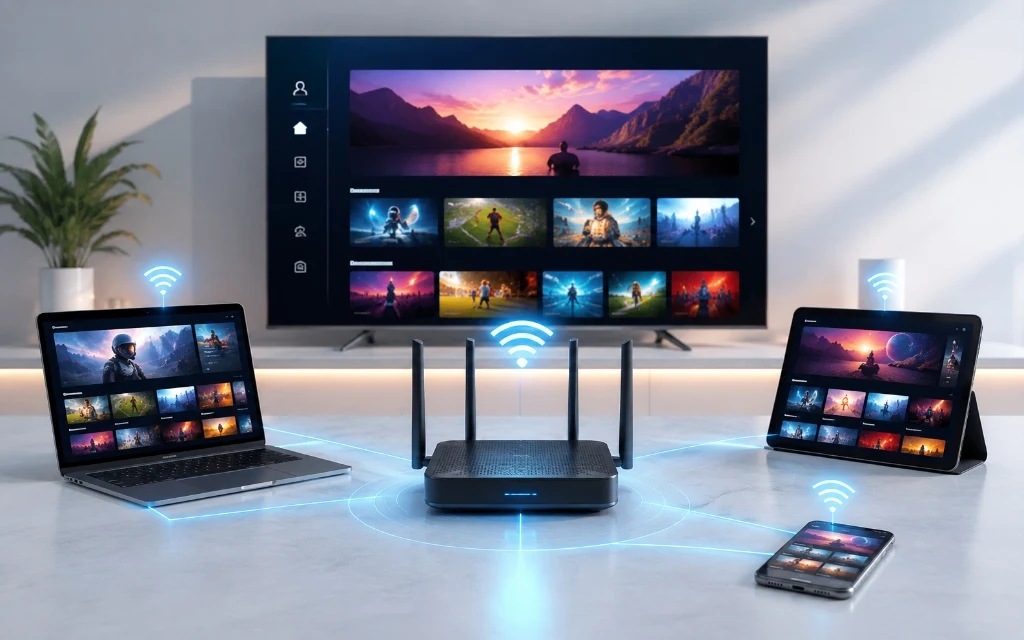
Smart TV, streaming device and smartphone prepared for IPTV trial setup

Why Try IPTV Before Buying?

Choosing an IPTV provider based only on website claims can be difficult. Actual performance can depend on internet connection, Wi-Fi quality, device performance, IPTV application, stream source and network congestion.

Testing the service on your own equipment can provide more useful information than simply reading a channel count.

The key question is: Does this IPTV service work well for the way I watch TV?

What Should You Test During an IPTV Trial?

Don't simply open one channel and decide. Use your trial to check the features that actually matter to you.

1. Test Your Favourite Channels

Start with the channels you actually watch, such as UK entertainment, news, movies, sports, football, kids channels and international channels. A provider can advertise thousands of channels, but the number is less important if your preferred channels aren't available or don't perform as expected.

2. Test IPTV Sports Streaming

If sports are important, test relevant sports channels during a live event where possible. Check picture quality, playback stability, audio synchronisation, channel loading and channel switching.

3. Test 4K IPTV Quality

If you have a 4K television or Firestick, test the highest-quality streams available to your device. Not every channel is necessarily native 4K. Actual quality depends on the source, stream, device, IPTV player, internet connection and television.

4. Test the EPG

An Electronic Programme Guide makes a large IPTV channel library easier to navigate. Check channel names, programme information, current and upcoming programmes, loading speed and timing accuracy. ZynaroTV currently promotes a 7-day EPG/catch-up feature, but customers should verify current functionality during their trial.

5. Test VOD

If movies and TV series matter to you, test the VOD section as well as live channels. Check browsing, search, playback, picture quality and loading times.

How to Get an IPTV Trial From ZynaroTV

The current ZynaroTV page uses WhatsApp for trial activation.

  1. Step 1: Choose Your Trial - Select the available 12-hour IPTV trial or £10 IPTV trial.
  2. Step 2: Contact ZynaroTV - Use the trial activation option to contact the support team.
  3. Step 3: Tell Them Your Device - Tell the support team which device you intend to use, such as Amazon Firestick, Smart TV, Android, iPhone, iPad or TiviMate.
  4. Step 4: Receive Your Login Details - Once the trial has been activated, use the supplied credentials with a compatible IPTV player.
  5. Step 5: Start Testing - Test live TV, sports, VOD, EPG and the features that matter most to you.

Device Compatibility

IPTV Free Trial UK for Firestick

Firestick users should check app compatibility, login process, channel loading, HD playback, 4K playback where available, EPG, VOD, remote navigation and channel switching.

IPTV Trial for Smart TV

Compatible IPTV services can be tested directly on supported Smart TVs, including compatible Samsung, LG, Android TV and Google TV devices. Test the service on the actual TV you plan to use.

IPTV Trial on Android & iPhone

An IPTV trial can also be used on compatible Android phones, Android tablets, iPhone and iPad. Mobile streaming is particularly dependent on your internet connection.

IPTV Trial With TiviMate

TiviMate is an IPTV player that users may choose for compatible Android TV and streaming devices. During a trial, evaluate channel organisation, EPG, favourites, channel switching, categories and VOD navigation. (TiviMate is a player, not the IPTV content provider itself).

What Internet Speed Do You Need for IPTV?

A stable connection is more important than simply having a high advertised speed.

Quality Suggested Stable Speed
SD 5 Mbps+
HD 10 Mbps+
Full HD 15–25 Mbps+
4K 25–50 Mbps+

These are practical guidelines rather than guarantees. Wi-Fi signal strength, router performance, network congestion, connected devices, IPTV player and stream source can affect playback.

How to Tell If an IPTV Trial Is Good

Test What to Check
Live TV Does playback remain stable?
Sports Does motion look smooth?
4K Does your device display the available quality?
EPG Does programme information load?
VOD Can you browse and play content?
Search Can you quickly find channels?
Channel switching Is navigation responsive?
Device Does your preferred device work?
Wi-Fi Does playback remain stable on your normal connection?
Support Can you get help when needed?

IPTV Trial vs Buying a Long-Term Plan

Feature IPTV Trial Long-Term Plan
Commitment Low Higher
Testing Yes Not usually needed
Device compatibility Can test Already committed
Streaming performance Can evaluate Already purchased
VOD Can test According to plan
EPG Can test According to plan
Best for New users Satisfied users

What to Check Before Paying for IPTV

  • Pricing: understand the full cost.
  • Subscription length: check monthly, quarterly or annual terms.
  • Renewal terms: understand whether and how the subscription renews.
  • Device support: confirm your preferred device and IPTV player.
  • Connections: check simultaneous connection limits.
  • Refund policy: read the provider's refund terms.
  • Content rights: choose providers that have appropriate rights or permissions for the content they distribute.

IPTV Free Trial UK: Common Mistakes to Avoid

  • Testing only for two minutes
  • Testing only during quiet hours
  • Ignoring your internet connection
  • Assuming every channel is 4K
  • Ignoring EPG quality
  • Not checking device compatibility
  • Not reading subscription terms
  • Choosing a provider solely because it advertises the largest channel number

Is IPTV Free Trial Really Free?

Not necessarily. The phrase IPTV free trial can describe completely free trials, short free tests, low-cost trials or paid trials. Always check exactly what the provider means before requesting access.

ZynaroTV currently promotes both a short trial and a £10 one-month trial, so the paid £10 option should be described accurately rather than simply calling it free.

Why a Paid £10 IPTV Trial Can Still Be Useful

A low-cost paid trial is not the same as a free trial, but it can provide more time to test a service across different times of day, weekend viewing, sports events, VOD, EPG, different devices and normal Wi-Fi conditions.

Frequently Asked Questions About IPTV Free Trial UK

Some IPTV providers offer free or low-cost trials. ZynaroTV currently promotes a 12-hour test option and a £10 one-month trial. Check the current offer and terms before requesting access.

ZynaroTV currently promotes a 12-hour trial as well as a 1-month £10 trial. Availability and terms may change.

No. It is a paid £10 trial, not a completely free trial. It provides more time to test the service before choosing a longer subscription.

You can test compatible live TV, sports, VOD, EPG, channel switching, device compatibility and streaming performance on your own internet connection.

Yes, where the provider and IPTV player support your Firestick. Testing on the actual device you plan to use is recommended.

Yes, provided the IPTV service and compatible application support your Smart TV platform.

That depends on the provider and specific trial. Check the current trial terms and channel availability.

If the trial includes available 4K streams and your device, player, display and connection support 4K, you can evaluate that experience.

A stable 10–20 Mbps connection is a reasonable starting point for HD, while 4K streaming can require around 25–50 Mbps or more depending on the stream and network conditions.

Do not assume that it does or does not. Check the provider's current terms to understand whether the trial expires, renews or requires a separate purchase.

Yes. If possible, test at the times you normally watch TV, including busy evening periods and live sporting events.

IPTV is a technology for delivering television over internet networks and is legal in itself. The legal issue concerns whether the provider has appropriate rights to distribute the content. Users should choose authorised services and comply with applicable law.

View All IPTV FAQs

Ready to Test IPTV in the UK?

Choosing an IPTV subscription is easier when you can test it first. Instead of relying solely on channel counts or marketing claims, use a trial to evaluate live TV, sports, VOD, EPG, streaming quality and compatibility with your own device and internet connection.

If the service meets your requirements, you can then consider a longer subscription.

Start 12-Hour Trial (WhatsApp) Compare Subscription Plans ➔